Annotate and get client feedback with Comnview
One link for all of a client’s feedback on websites, designs and PDFs. No sign-up needed, for you or your client.
Paste a website URL and start annotating
Best for live websites: you and your client comment right on the page.
Use our Chrome extension for private websites
Best for staging, localhost and pages behind a login: it works in your own browser.
Annotate PDFs and images
Best for designs, mockups, PDFs and screenshots: one link for all the feedback.
Drop, browse, or paste
PNG, JPG, WebP up to 10MB; PDF up to 64MB
Capture. Share. Annotate.
Comments, the Pencil and shapes, right on the page, for you and your client.
Capture
Paste a website link, use our Chrome extension for private pages, or drop in a screenshot, image or PDF.

 comnview.com/preview/k3f9Uploaded
Share
Get an instant shareable URL and send it to clients via email, Slack or any channel. Nobody needs an account to open it.
comnview.com/preview/k3f9ShareAnnotate
Pin comments on the spot, draw with the Pencil, add arrows, boxes and highlights. Your client does the same.
comnview.com/preview/k3f9AAlex is viewingSwap the sofa for a straight one?
On it, sending two options.
No deployment needed. Start sharing in under 2 minutes.
See it in action
Short videos from the Comnview YouTube channel.
How to Get Client Feedback Into Your Website With an AI Agent (MCP)
(1:31)
How to Send a UX Audit Your Client Actually Reads
(1:03)
Website Feedback Tool: Paste a Link, Pin the Spot
(0:39)
Built for your workflow
Everything you need to share work-in-progress and move faster. Websites, designs and images are three examples we walk through in detail; anything you can screenshot works the same way.
Websites
Client feedback pinned on any web page
See how it worksDesigns
Client feedback on screens, mockups and flows
See how it worksImages
Client notes on photos, renders, plans and sketches
See how it worksWhat you get with every link
One-Click Sharing
Capture your local prototype with our Chrome extension and generate a shareable link instantly. No deployment or complex setup required.
Collaborative Comments
Let clients and peers leave feedback directly on your pages and images. Keep all discussions in context and organized.
Interactive Previews
Unlike screenshots, previews are clickable and scrollable—so clients truly understand what they're reviewing.
And with Pro
Review together, live
See who else is on the project, their cursors and what they draw as it happens. Follow someone to see exactly what they see, scroll and zoom included.
MCP for your AI agent
Your AI agent reads the pinned comments, replies, resolves and uploads the fixed file as a new version. Watch it work on the project as it goes.
How it worksMaking client feedback
faster and easier
Built for freelancers, agencies, and product teams who need fast validation—without deployment overhead.
The Problem We Solve
Comnview was built to solve a common problem: how do you quickly share work-in-progress with clients without the hassle of deployment, ngrok tunnels, or screen recording?
Screenshots and videos are linear and non-interactive
Tunneling services require the local server to stay running
Deploying to staging is time-consuming and often overkill
Screen sharing requires scheduling and isn't asynchronous
Our Solution
Paste a link and annotate the website, or let your client annotate it, with nothing installed on the site. Comnview keeps a snapshot of it too. Staging or a development server? The Chrome extension takes the snapshot, so nothing has to be deployed.
Who We Serve
Web Agencies
Managing multiple stakeholders efficiently
Freelancers
Who need quick client approval on designs
Frontend Developers
Building client projects that need quick approval
Product Teams
Iterating on prototypes and getting feedback
Our Values
Speed
Get feedback faster with instant preview links
Simplicity
No setup: paste a link and start annotating
Security
Nothing to install; private pages stay private
Focus
Built for one thing and doing it really well
From the blog
How to get clear feedback from clients, and how Comnview compares with other website feedback tools.
 Comparison
The best website feedback tools in 2026
Ten website feedback tools compared honestly: what each costs, how clients leave feedback, staging and localhost, files, and where the feedback goes next.
, 12 min readRead
 Comparison
Comnview vs BugHerd: a BugHerd alternative for client feedback
A website bug tracker against a client feedback tool: what each costs in a year, what your client has to do, localhost builds, designs and PDFs, and where BugHerd is the better pick.
, 14 min readRead
 Guide
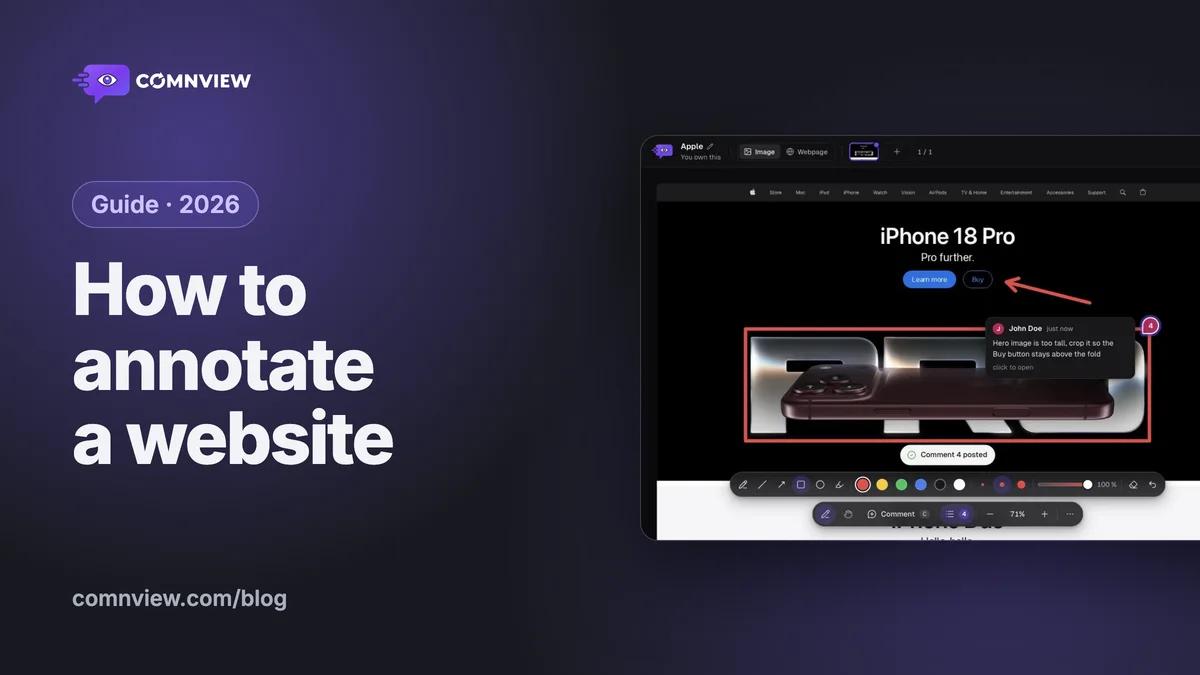
How to annotate any website, free
Paste a link, pin comments on the exact element and send one link: a step-by-step guide with screenshots, plus localhost, staging and tips for feedback that gets acted on.
, 9 min readRead
 Guide
25 website feedback questions to ask clients
Questions for the client reviewing a site you are building, grouped by stage from first impression to sign-off, worded so they do not lead, plus a form template and feedback examples.
, 9 min readRead
Ready to streamline your feedback process?
Join teams shipping faster with clearer client communication.