
Annotate any website for free right on the live page
Paste a link, click any part of the live site to comment, then share one link. Free, no extension, no account.
Paste a website to annotate it; links to images and PDFs open as the file.
- Comments on the live site, every page
- No extension, no account
- Private link: only people you send it to
How to annotate a website
Paste the link
Any public website: a homepage, a landing page, a shop. It opens live in Comnview.
Click to comment
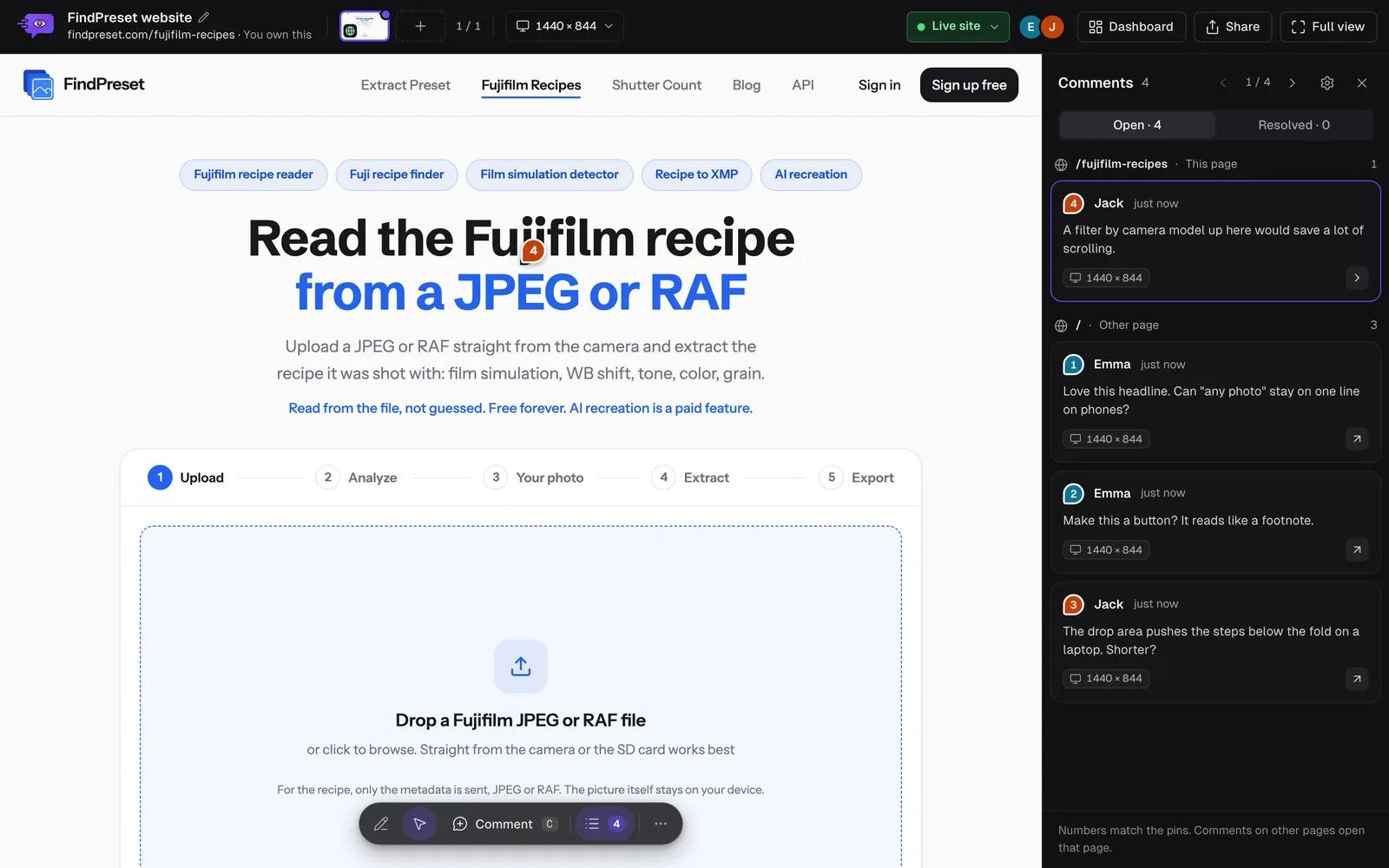
Click a heading, a button or a picture and type. Browse to other pages and comment there too.
Share one link
Send the link. Your client sees every comment on the page it belongs to and adds their own.
What you get
The live site, every page
Reviewers click through the whole site; each comment remembers the page it was made on.
A snapshot as well
Comnview keeps a full-page snapshot, so you still see what a comment was about after the site changes.
Draw on the page
Circle a section or cross something out with the Pencil, anchored to what it marks.
Nothing on your site
No script to add and no plugin to install. The site itself is not changed.
A staging site, localhost or a page behind a login?
The tool above opens public websites. For a page you are signed in to, a staging site or your own localhost, the Comnview Chrome extension captures it from your own browser, on every plan.
Some websites refuse to open inside another site or block visits from servers. Those can be annotated with the extension too.
Comnview, screenshots or an extension?
| Option | What your client needs | Where the comments are | The live site |
|---|---|---|---|
| Comnview | The link. No account, nothing to install | Pinned to the element, on the page it is about | Yes, every page, with a snapshot kept |
| Screenshots and email | In a list, described in words | No, pictures of it | |
| A browser extension | To install it in their browser | On the page, for people who installed it | Yes |
Who annotates websites
Agencies and freelancers
Collect a client’s changes before launch, on the page itself, in one round.
Designers
Check the built site against the design and pin every difference.
Marketing teams
Review landing pages and copy with everyone who has a say.
Developers
Get feedback that points at the element, not “the button somewhere at the top”.
Or ask your AI assistant
Connect Comnview to Claude, ChatGPT, Claude Code or Cursor and ask for a review. Your assistant opens the page, looks at all of it and pins each issue on the element it is about.
- “Do a design audit of yoursite.com and pin the issues”
- “List the open comments on the homepage”
- “Send the homepage to my client for review”
AI agents are on the Pro plan; every new account gets 7 days of Pro.
Frequently asked questions
Is the website annotation tool free?
Yes. Without an account you can annotate 3 websites. A free account gets every Pro feature for 7 days; after that, Starter annotates as many websites as your projects hold.
Do I need to install an extension?
No. Paste the link on this page and the website opens in your browser. The Chrome extension is only for pages the tool cannot open: staging sites, localhost and pages behind a login.
Does my client need an account?
No. They open the link in any browser, browse the site and click to comment.
Do I have to add a script to my website?
No. Nothing is installed on the website and nothing on it changes.
What if the website changes after the comments?
Comnview keeps a full-page snapshot of the page you pasted, so you can always see what a comment was made on.
Why does a website not open?
Some sites block visits from servers or refuse to be shown inside another site. Use the Chrome extension for those: it works from your own browser.
Does it work on a phone?
Yes. Paste the link on your phone, tap to comment, and your client can review on a phone too.