


Client notes on the room photo, not in the chat

Send one link. Your client marks the exact spot on the photo, plan or sketch and writes what they want changed. You get a list of pins instead of 14 voice messages.

Your client does not need an app or an account.

No more confusion: “the thing on the left, no, the other left”.

How it works

One link, pinned notes, done

  1. 1

    Upload

    A room photo, render, plan or sketch.

  2. 2

    Share

    One link. Opens on their phone, no app, no account.

  3. 3

    Collect feedback

    They press and hold (or right-click) to pin a note.

Upload an image

Drop, browse, or paste

PNG, JPG, WebP up to 10MB

Capture with Chrome Extension

Working from a web page? Capture a supplier’s product page, a portfolio or a client’s live site in your browser, as live HTML or a full-page screenshot.

Ink and watercolour sketch of a two-storey house with a wood-clad upper floor, a covered entrance and a front garden
1Wood cladding downstairs too?
2
3
4Bigger window here?

Renovation walkthroughs, from the first sketch to the snag list

Home designers and contractors: share the concept sketch for a decision, then photograph each finished room and let the client pin every scratch and missing cover. A snag list on the photo, without a construction app.
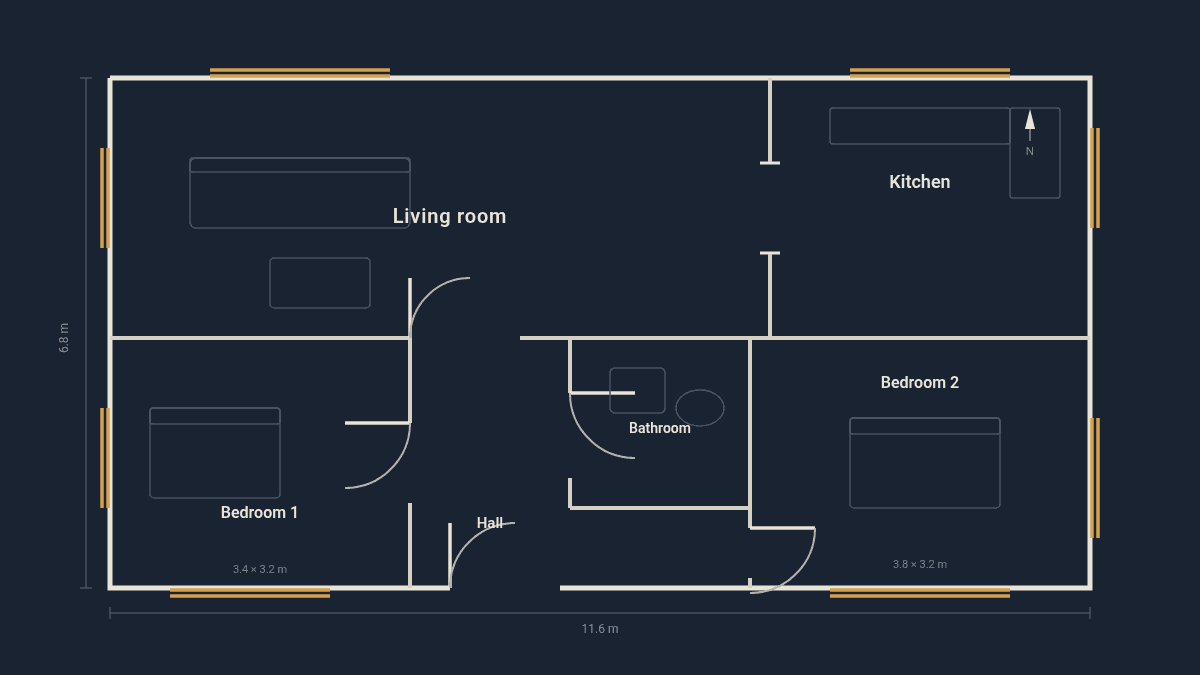
Floor plan of a two-bedroom flat with a living room, kitchen, bathroom and hall, drawn as light lines on a dark background
1Can the door go here?
2
3

Comments on floor plans, landscape plans and elevations

Clients rarely read plans well. A pin that says “I want the door here” beats a paragraph. Architects and landscape designers get drawing review and floor plan annotation from people who cannot read a plan.

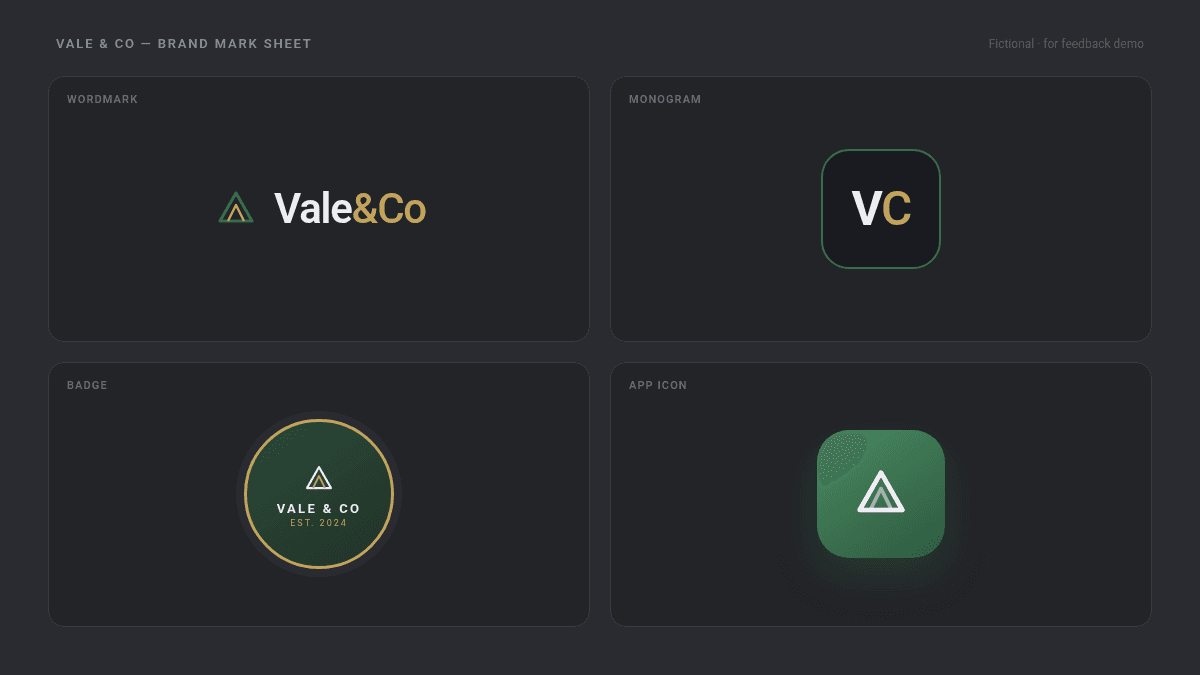
Logo sheet of a fictional brand with four variants: wordmark, monogram, badge and app icon
1Lighter gold on the &Co?
2
3
4

Artwork, logo and print feedback

Share a logo sheet or a poster draft. The client pins the variant they like and the detail to change. A lightweight artwork approval round for graphic designers; marketing teams use it for ad creatives and social posts before a formal creative approval workflow. Comnview is the feedback round, not the system of record.

Pencil sketch of a two-tone sports coupe on a drawing table with pens and an eraser
1Less copper on the doors?
2
3
4Thinner pillars?

Illustrations, fashion sketches and product designs

Wheel design, grille width, hem length, line weight: pinned on the sketch, not described in a chat. Product designers, illustrators and tattoo artists gather illustration feedback before final line work; fashion designers run a tech pack review pin by pin.

A living room render with a curved grey sofa, a pendant globe, a floor lamp and an armchair
1Swap the sofa?
2
3
4Warmer wall colour?

Room photos, renders and anything else you can photograph

Interior design client feedback is the classic case: swap the sofa, warm up the wall colour, hang the pendant lower, every note on the exact spot in the render, one link per room, a client portal without the portal. The same link works for product shots, packaging, event setups or a garden plan: if you can photograph it, your client can pin it.

Photographers: pin retouch notes on a single select.

Frequently asked questions

Does my client need to install anything?

No. The link opens in any phone or desktop browser.

Can I upload a PDF plan?

PDF upload is coming soon. Until then, export the plan as PNG or JPG; Comnview takes PNG, JPG and WebP up to 10 MB.

Can several people comment on the same image?

Yes, everyone with the link sees the same pins.

Can I upload several images for one project?

Yes. Upload up to 10 images at once and they share one link; your client steps through them as slides.

What is photo proofing?

A round where the client marks the images they want and notes changes before final delivery.

Are images watermarked?

No.